
Mastering Amazon Main Image Requirements

If you only remember one thing about Amazon's main image requirements, make it this: the background must be pure white, your product needs to fill 85% of the frame, and the image itself must be at least 1,000 pixels on its longest side. Getting these core rules right from the start is non-negotiable if you want to avoid having your listing suppressed or, even worse, completely removed.
Breaking Down Amazon's Core Image Standards
Think of your main image as your digital handshake. It’s the very first thing a potential customer sees, and it heavily influences their decision to click through and learn more. Because it plays such a huge role, Amazon has a specific set of standards designed to create a clean, consistent, and professional look across its entire marketplace. These aren't just helpful suggestions—they're mandatory rules for every single seller.
Over the years, Amazon’s requirements have tightened to manage a platform with over 2.5 million sellers. One of the most famous (and strictest) rules is the pure white background (RGB 255, 255, 255). This standard has been in place for a long time to ensure products pop and the site looks uniform. You can read up on the full scope of these image standards to understand just how much they can affect your sales.
The Foundational Rules You Can't Ignore
Before you even think about the creative aspects of your photoshoot, you have to nail the technicals. These are the absolute must-haves for a compliant main image.
- Pure White Background: It has to be RGB (255, 255, 255). No exceptions. A slightly off-white, light gray, or cream-colored background will get your image flagged and rejected in a heartbeat.
- File Format: Stick to JPEG, TIFF, PNG, or GIF. For the best balance of image quality and manageable file size, JPEG is almost always the way to go.
- Image Size: The image must be at least 1,000 pixels on its longest side. This isn't an arbitrary number; it’s the minimum requirement to activate Amazon’s zoom feature, which shoppers use constantly to get a closer look at product details.
This infographic gives you a quick visual rundown of the essentials.
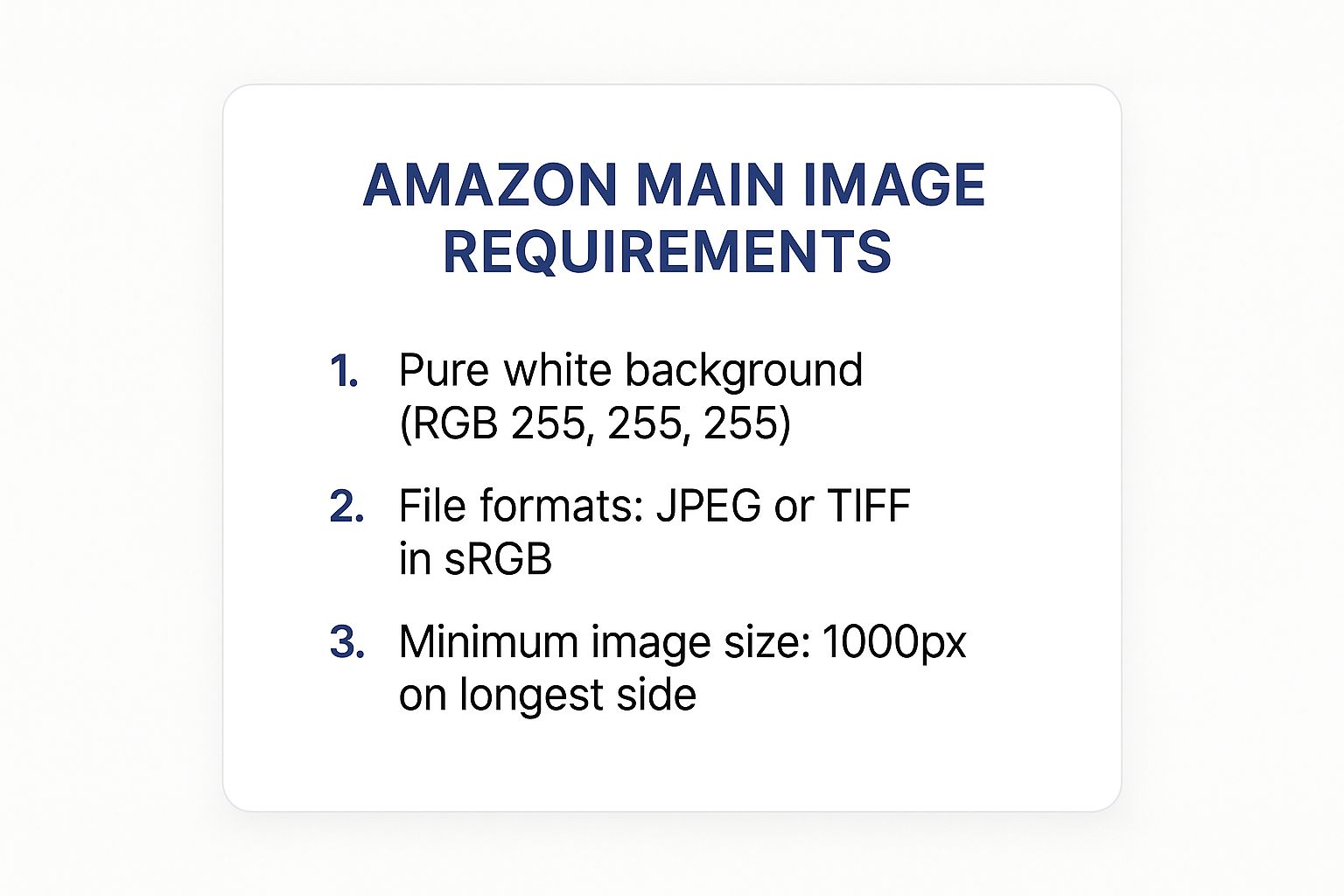
To make things even clearer, here's a quick checklist to keep handy. It covers the bare minimum you need to get right every single time.
Amazon Main Image Quick Reference Checklist
| Requirement | Specification | Why It Matters |
|---|---|---|
| Background Color | Pure white (RGB 255, 255, 255) | Ensures a clean, professional look and meets Amazon’s strict uniformity policy. |
| Product Occupancy | Must fill at least 85% of the image frame | Makes the product clear and easy to see in search results, preventing it from looking small. |
| Minimum Size | At least 1,000 pixels on the longest side | Enables the customer-favorite zoom function, allowing for detailed product inspection. |
| File Formats | JPEG, TIFF, PNG, or GIF | JPEG is recommended for the best combination of quality and web-optimized file size. |
| Content | Show only the product; no text, logos, or props | Prevents a cluttered and confusing image that could mislead or distract shoppers. |
Mastering these foundational elements—background, format, and size—is the first and most critical step. Once you have these down, you've built a solid foundation for a compliant and compelling Amazon listing that will actually get seen by customers.
The Technical Nitty-Gritty: File Specs
Before you even think about what’s in the photo, you have to get the technical file requirements right. This is where most sellers trip up first, leading to annoying upload errors. Amazon is a stickler for these rules because they ensure every image on the site loads quickly and looks consistent.
File Format: Stick with What Works
You’ve got a few options here, but honestly, there's only one you should really be using. Amazon technically accepts JPEG, TIFF, PNG, and GIF files.
For your main image, always go with JPEG. It hits the sweet spot between great image quality and a small file size, which is crucial for fast page loads. Nobody wants to wait for a massive TIFF file to render, and GIFs just aren't suited for high-quality, static product photos.
Color Mode: sRGB or Bust
This one is non-negotiable. Your images absolutely must be saved in the sRGB color mode.
Think of sRGB as the universal language for colors on the web. It ensures the vibrant red of your product looks the same on your customer’s screen as it did on yours. If you upload a file in a different color mode, like CMYK (which is for print), the colors will look dull, washed out, or just plain wrong.
File Naming: How Amazon Identifies Your Image
Amazon’s system isn’t human; it needs a specific file name to know which image belongs to which product.
Your file name must be the product identifier followed by the file extension. That means your ASIN, UPC, EAN, or JAN is the entire file name.
- Correct:
B00SAMPLE123.jpg - Incorrect:
Red_T-Shirt_Main_Image.jpg
Get this right, and Amazon’s system will automatically link your image to the correct listing. Get it wrong, and it’s just another upload error waiting to happen.
Optimizing Image Size And Resolution
To give your customers a great experience, your images need to be sharp and clear. Amazon’s zoom feature is a huge part of the online shopping process—it’s how buyers get a closer look at what you’re selling. For that to even work, your images have to meet a key requirement: they must be at least 1,000 pixels on their longest side.
Hitting this minimum size is non-negotiable. It’s what allows shoppers to zoom in and see the fine details, inspect the material, and really understand the quality of your product. This virtual "hands-on" experience builds a ton of confidence and can directly lead to fewer returns, simply because customers feel sure about what they're buying.
Why Bigger Is Better For Your Images
Sure, 1,000 pixels is the floor, but top sellers consistently aim higher. The unofficial gold standard is now 2,000 pixels or more, often in a square 2,000 x 2,000 format. This isn't just a random number; it reflects how people shop today, especially since over 60% of Amazon customers are browsing on their phones.
Pro Tip: A larger image lets customers get an incredibly detailed view when they zoom. If you’re selling something with intricate designs, like jewelry or complex electronics, that deep zoom can be the very thing that seals the deal.
Making sure your images are up to snuff can feel like a chore, but modern AI for photography tools can really help optimize resolution and overall quality. And if you have a photo that’s almost perfect but just needs a size adjustment, a simple online tool to resize images can get it ready for Amazon without sacrificing that professional crispness.
Nailing the Perfect Pure White Background
Of all the main image rules, this is the one that trips up sellers the most. Amazon is incredibly strict about the background: it has to be pure white. I'm not talking about almost white or a light gray. We're talking about a specific color value: RGB (255, 255, 255).
This isn't just a guideline; it's a hard-and-fast rule policed by their algorithm. If your background is even slightly off-white, cream, or has a faint shadow, your listing can get suppressed automatically. Amazon does this to create a clean, consistent look across the platform, which helps customers focus entirely on the product without any distracting backgrounds.
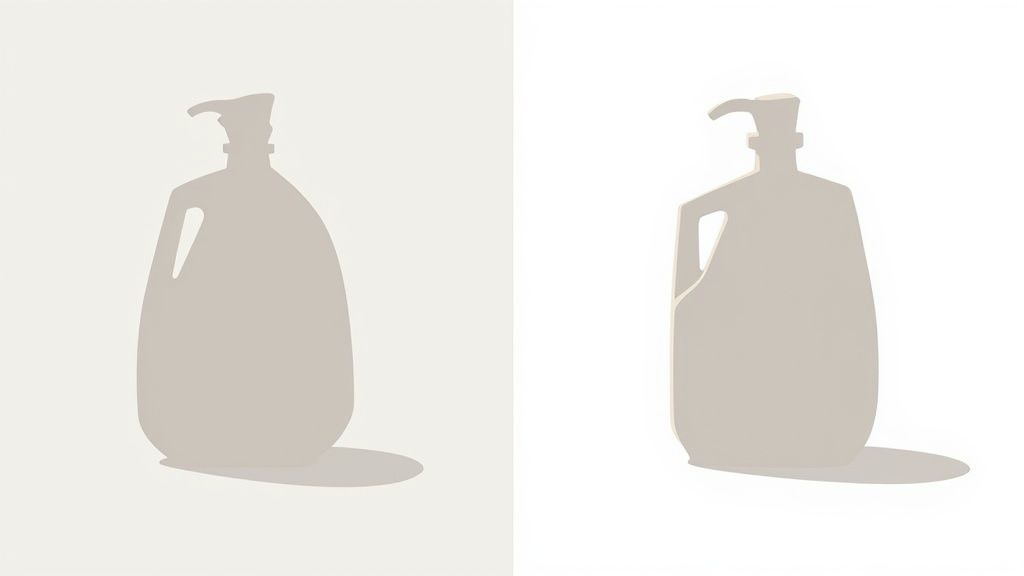
Why Pure White is Non-Negotiable
From Amazon's perspective, this rule ensures every product appears to float on the page. This creates a professional and uniform shopping experience, making it easier for buyers to compare products at a glance. Think of it as Amazon's digital shelf—they want it to be clean and organized.
How to Get It Right
Achieving a true RGB (255, 255, 255) background usually requires post-production editing. Even with professional lighting and a white seamless backdrop, you’ll often end up with a light gray that needs to be digitally removed.
Here are a few ways to tackle this:
- DIY with Software: Tools like Adobe Photoshop or free alternatives like GIMP have "remove background" features. You'll need to be precise to avoid jagged edges on your product.
- Use Online Tools: There are plenty of web-based background removal tools that make this process quick and easy, though quality can vary.
- Hire a Pro: For the best results, consider hiring a freelance editor or using a product photography service. They'll know exactly how to meet Amazon's specifications.
If you want to get a head start by shooting on the right surface, check out this guide on choosing the best background for product photography. Just remember, you'll still likely need to do some editing to hit that perfect (255, 255, 255) mark.
Mastering Product Framing And Presentation
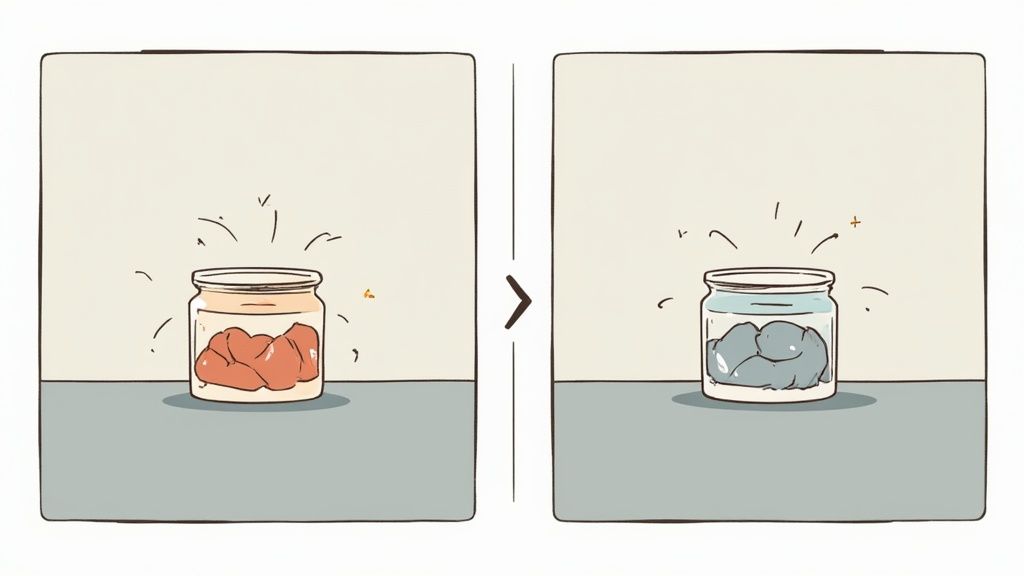
How your product is framed within the main image is just as crucial as the background it sits on. Amazon is very clear on this: the product itself must fill at least 85% of the total image area. This isn't just an arbitrary rule; it's designed to make your product look big, bold, and clear in search results, grabbing a shopper's attention right away.
Think about it from the customer's perspective. An image where the product is a small speck floating in a sea of white looks unprofessional and makes it hard to see details. The whole point is to minimize that empty space and make your product the undeniable star of the show. Also, remember to show the entire product from one clear angle—no part of it should ever be cut off by the edge of the frame.
Category-Specific Presentation Rules
While the 85% rule is universal, some categories have their own unique quirks. For example, clothing is a big one. It has to be shot either flat or on a live model. Mannequins are generally a no-go, with the exception of the "invisible mannequin" or "ghost mannequin" technique.
This focus on consistency, especially the rule about filling 85% of the frame, is a global standard for Amazon. It ensures a uniform, professional look for products whether they're being viewed in London or Los Angeles. You can dive deeper into the data behind this by reading about global product imaging standards on Amazon Science.
Of course, getting the framing right is only part of the battle. Strong photography skills are essential for creating main images that actually sell. If you're looking to level up your skills, learning how to take good product shots is a great next step. For a solid foundation, our own guide on https://quickpixel.co/blog/how-to-take-product-photos is the perfect place to start.
What You Can’t Show on Your Main Image
Getting the technical details right—like the background color and pixel dimensions—is only half the battle. What you don't put in your main image is just as critical for staying on Amazon's good side. In fact, breaking these content rules is a surefire way to get your listing suppressed, which basically makes it invisible to customers.
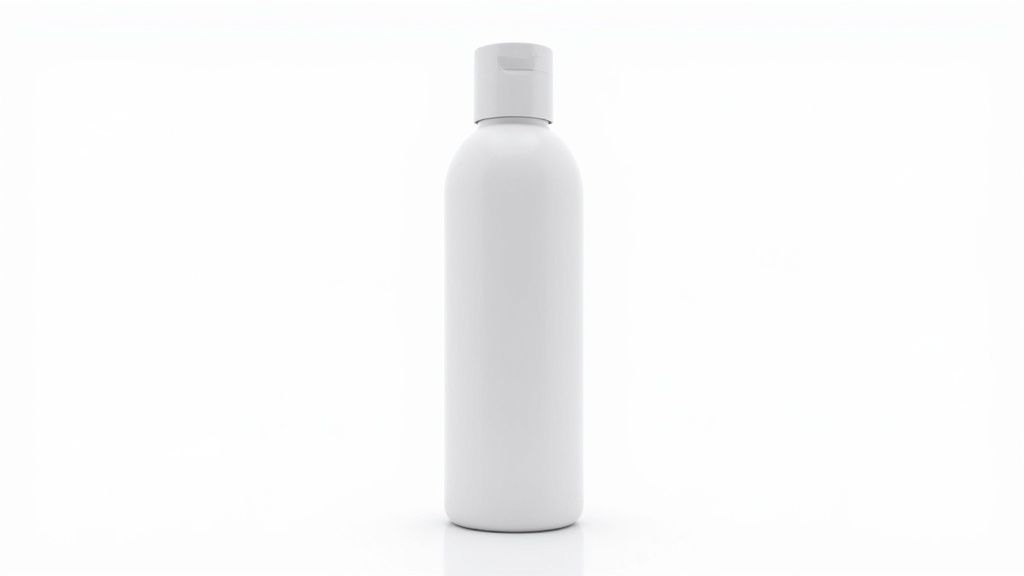
The number one rule is simple: show only the product for sale. Nothing else. Amazon's bots are incredibly good at flagging images that have any extra fluff, so it’s best to keep it clean from the start.
Keep It Clean: What to Leave Out
To keep your listing live and compliant, your main photo needs to be completely free of anything that isn't the product itself. This creates a consistent and professional look across the entire Amazon catalog, which is exactly what they're aiming for.
Here’s a quick-and-dirty checklist of what to exclude:
- Text, Logos, and Graphics: Don't add any promotional text like "Sale," "20% Off," or brand slogans. Your own logo is also a no-go on the main image.
- Watermarks: Any kind of watermark, even a subtle one, is strictly forbidden.
- Inset Images or Multiple Angles: You can't show a close-up shot or a different view of the product within the same main image. Save those for your secondary image slots.
- Props or Accessories: Avoid showing any items that don't come with the purchase. If you’re selling a phone case, show just the case—not the phone inside it. Selling a picture frame? Don’t show it with a stock photo in it.
Think of it this way: the main image is a clean, professional studio shot of your product, and that's it. Any of those other helpful, conversion-boosting elements absolutely have a place—just not here. They belong in your other image slots.
Dealing with Non-Compliant Images and Suppressed Listings
So, what happens when you don't follow Amazon's main image rules? The most common outcome is a suppressed listing. This is a big deal. It means your product is essentially invisible—it won't show up in customer searches or when someone browses a category. Your sales just stop, and you won’t even get a notification about it.
The first clue you have a problem might just be a sudden drop in sales. To confirm, you'll need to dig into Seller Central. Head over to the "Inventory" tab and click on "Manage Inventory." If you have any suppressed listings, a "Suppressed" button will appear in the top navigation bar. Click on that, and Amazon will show you which products are in the penalty box and exactly why.
How To Get Your Listing Back Online
Once you've found the suppressed listing, fixing it is usually pretty direct. Amazon will flag the specific problem, like "Main image has a non-white background" or "Image contains text," so you know exactly what to do.
Follow these simple steps to get things back on track:
- Find the "Why": Look at the reason Amazon gives for the suppression. It’s your roadmap for the fix.
- Fix the Image: Get to work editing the photo. You might need to make the background pure white, crop it so the product fills at least 85% of the frame, or take out any text or graphics you added.
- Upload the New Version: Go back to the suppressed listing in "Manage Inventory," click "Edit," and navigate to the "Images" tab to upload your corrected main image.
- Save and Be Patient: Once you hit save, Amazon's system takes over. It can take a few minutes or, in some cases, several hours for the system to review the new image and reinstate your listing. Just keep an eye on it until it's active again.
Frequently Asked Questions About Main Image Rules
Even with Amazon's detailed guidelines, sellers often run into tricky situations that aren't spelled out in black and white. Getting the details right is the difference between a high-performing listing and one that gets suppressed, so let's clear up a few of the most common gray areas.
Can I Use a Human Model in My Main Image?
This is probably the most frequent question we hear, and the answer is: it depends entirely on the category.
For the vast majority of products, the answer is a hard no. The main image should feature only the product. But for categories like clothing, accessories, and certain jewelry, a model isn't just allowed—it's often necessary to show the product in use. Always double-check the specific style guide for your category before you schedule a photoshoot.
How Can I Be Sure My Background is Pure White?
You might look at your image and think, "Yep, that's white." But Amazon's automated system is much more discerning than the human eye. What looks white to you could be a light gray to their bots, which is enough to get your image flagged.
Here’s a foolproof way to check using just about any photo editor (Photoshop, GIMP, etc.):
- Open your image in your preferred editing software.
- Grab the eyedropper tool (it usually looks like a little dropper).
- Click anywhere on the background of your image.
- Look at the RGB color values. For a perfectly pure white background, the numbers must read R: 255, G: 255, B: 255.
If you see anything less, like (253, 254, 255), it's not pure white, and you risk rejection.
The big takeaway here is that "close enough" simply doesn't cut it with Amazon's main image rules. The platform's automated systems are built for precision, so every technical spec—from pixel dimensions to RGB values—has to be exact to stay compliant and keep your listing live.
Are 3D Renders Okay for the Main Image?
As digital rendering technology gets better and better, it's tempting to use a perfect 3D model instead of a traditional photograph. While these renders are fantastic for secondary images and A+ Content, Amazon is very clear on this for the main image: it must be an actual photograph of the product.
This rule is all about trust. Amazon wants to ensure the first thing a customer sees is an authentic representation of the physical item they'll receive. Sticking to a real photo manages customer expectations and can even help lower your return rate. Save those beautiful, dynamic 3D renders for your other image slots where they can really shine.
Ready to create stunning, compliant product photos without the hassle of a photo shoot? QuickPixel uses AI to transform your simple product pictures into studio-quality images that meet every Amazon requirement. Stop worrying about background colors and lighting, and start selling more. Get your professional product photos today.
Try QuickPixel Today
Get started with our AI-powered image generation tools